9 min readElif Aksoy
Phone Alarm: Why Does It Keep You in Bed?
Your alarm and your biggest distraction are the same device. Move the alarm across the room and watch the morning doomscroll disappear.
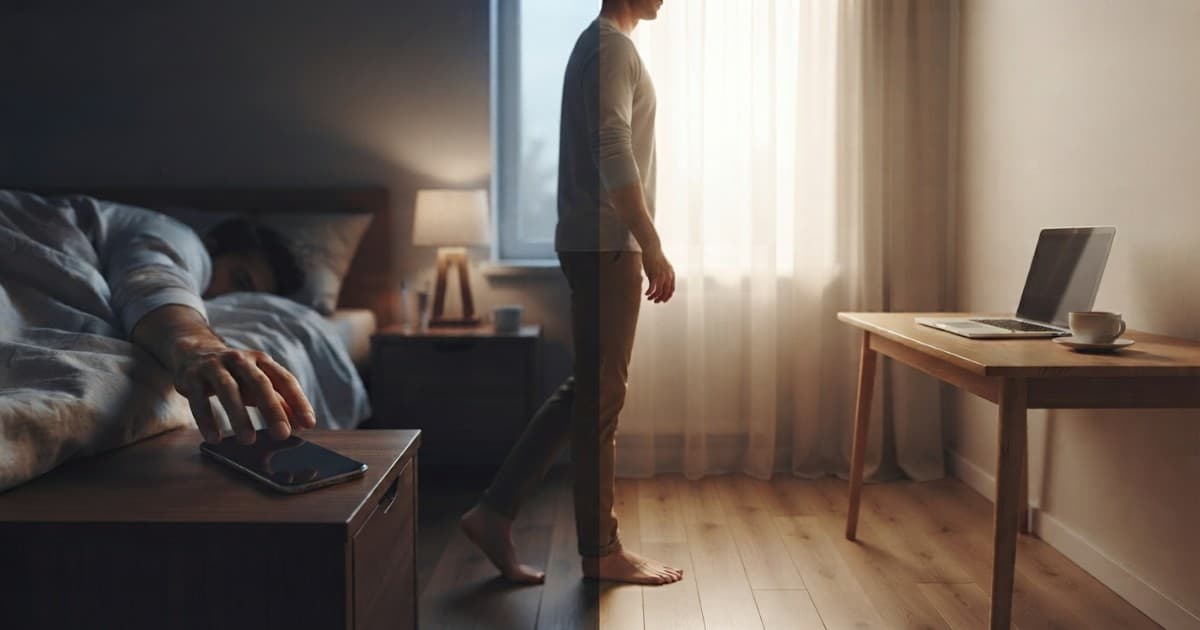
The problem isn't that you're lazy. It's that your phone alarm and your single biggest distraction live on the same device, six inches from your face. You reach over to silence the alarm, your thumb is already on the glass, and twenty minutes disappear into feeds before your feet ever touch the floor. The fix is almost embarrassingly simple: put the phone out of reach and wake up to something you physically cannot scroll — like an online alarm running on a laptop across the room. Here's why the phone keeps beating you every morning, and exactly how to take those mornings back.
The phone is a trap by design
Every morning, two things collide. First, your alarm sits on the one device engineered from the ground up to capture and hold your attention — so the second you silence it, you're already looking at a notification, a red badge, a new message. Second, that first silencing happens in the worst possible state for self-control: groggy, half-asleep, running on almost no willpower. Put a slot machine on your nightstand and set it to ring at 6 a.m., and this is precisely what you'd expect to happen. It isn't a character flaw. It's bad placement.
The phone didn't earn its spot on your nightstand because it's a good alarm clock. It earned it because it's convenient — it's already there, it's always charged, and the alarm is built in. But convenient and effective are not the same thing, and for the specific job of getting you upright and moving, the phone is quietly working against you.
What actually happens in your brain at 6 a.m.
For the first several minutes after waking, your brain is in a state called sleep inertia — a foggy, groggy transition during which your prefrontal cortex, the part that handles decisions and self-control, is still coming online. In that window you are not the rational person who set the alarm the night before. You're a barely-conscious version running on autopilot, and autopilot does the easiest possible thing: tap snooze, then tap the screen.
Notifications make it far worse. Every swipe delivers a small hit of novelty — a like, a headline, a message — and your half-awake brain chases it because it's effortless and mildly rewarding. One glance becomes a scroll, a scroll becomes twenty minutes, and now you're starting the day already behind, already reactive, already tense about whatever the feed decided to show you. You haven't even stood up yet.
Phones and mornings: what we already know
Research on technology and sleep points consistently in one direction: keeping the phone within arm's reach of the bed is linked to worse sleep, more time lying awake, and a much stronger pull to check it first thing. Reaching for the phone the instant you wake tends to start the day more anxious and more reactive — you're absorbing other people's demands and the world's bad news before you've had a single clear thought of your own. None of this needs a lab to confirm; you already know the difference between a morning that opens with a scroll and one that doesn't. Moving the alarm off the phone is the smallest change that addresses all of it at once.
Why "just use more willpower" never works
The usual advice is to be more disciplined: set the alarm, don't snooze, don't scroll. It fails for one simple reason — your willpower is at its lowest exactly when you're asking the most of it. You're testing your self-control in the groggiest, weakest state of your entire day, against a device specifically designed to be hard to put down. That's a fight you'll lose most mornings, and losing it over and over makes you feel lazy when the real problem is the setup, not your character.
The answer isn't more discipline. It's changing your environment so that the easy choice and the right choice become the same thing. That's where distance comes in.
The across-the-room fix
Take the alarm off your phone and put it on a device you won't scroll. Open an online alarm clock on a laptop or tablet, set your wake time, and place it across the room — far enough that you have to get out of bed to reach it. Now silencing the alarm requires the one action that genuinely breaks sleep inertia: standing up and walking. By the time you've crossed the room and switched it off, you're upright, your eyes are open, and the hardest part of the morning is already behind you.
And because a laptop or tablet running a simple online alarm isn't an endless feed, there's nothing to fall into on the walk back. You silence it, and the pull just isn't there. The device did its one job and has nothing else to offer. That is the whole point: you're not leaning on willpower, you're removing the temptation from arm's reach entirely.
How to set it up in two minutes
On a laptop or tablet, open the online alarm — no app to install, no signup.
Enter your wake time and choose a clear, rising tone rather than a gentle chime.
Turn the volume up to a level you'll comfortably hear from across the room.
Put the device on a desk or dresser far from the bed, plugged in and awake so it doesn't sleep before the alarm fires.
Leave your phone in another room, or at the very least out of arm's reach on the far side.
If you sleep deeply, keep your phone's alarm as a backup set a couple of minutes later.
What if the screen turns off — or the computer sleeps?
A common worry: will a browser alarm still ring once the screen goes dark? The short answer is yes — as long as the computer itself stays awake, a dark screen alone won't stop it. The real risk is the machine dropping into full sleep mode, which freezes the browser so the alarm can't ring until you wake the device. That's why you keep it plugged in and push the sleep timeout back in your power settings; on a laptop, leave the lid open. For extra insurance on a morning that really matters, that backup alarm on your phone a couple of minutes later is your safety net.
The snooze trap, specifically
Snooze feels like a small gift, but it's really the phone's foot in the door. Each snooze is another cycle of fragmented, low-quality sleep that leaves you groggier rather than more rested — and every snooze is one more moment holding the phone with your thumb on the screen. Moving the device across the room removes snooze as a comfortable option: you can still hit it, but you have to stand up to do it, and once you're standing, the whole calculation changes. Nine times out of ten, you just stay up.
Choosing a sound that actually gets you up
Distance does most of the heavy lifting, but the sound matters too. A soft, pleasant chime is easy to sleep through and easy to silence in your sleep. Pick something clear and a little insistent, and use a rising tone if your tool offers one — a sound that starts quiet and grows is much harder for a groggy brain to ignore or fold into a dream. Set the volume higher than feels strictly necessary; from across the room, "slightly too loud" is exactly right. If you're a genuinely heavy sleeper, lean all the way into it.
"But I use my phone as my clock"
This is the most common objection, and it's fair — but it misses the point. You can absolutely still check the time on your phone during the day. What you're removing is the specific 6 a.m. moment where the phone is in your hand, your thumb is primed, and your willpower is at rock bottom. You're not giving up the phone; you're breaking the alarm-to-scroll reflex by putting a few steps of friction between waking and scrolling. Distance is that friction. Once the reflex is broken, glancing at the time later in the day becomes a completely different, harmless act.
Make it stick: the first week
The first two or three mornings will feel strange, and out of pure habit you may still drift toward where the phone used to be. Push through it. By roughly the end of the first week, crossing the room becomes automatic and the morning scroll loses its grip — because the trigger, phone in hand the instant the alarm sounds, is simply gone. Keep the backup phone alarm running through this stretch so you never lie awake worrying about oversleeping while the new habit settles in.
When a phone alarm is actually fine
None of this means the phone alarm is evil. If you already wake up easily, get straight out of bed, and don't spiral into your feed, there's no problem to solve — keep doing what works. The across-the-room online alarm is specifically for people whose mornings vanish into snooze-and-scroll. If that's you, this one change to where the alarm lives tends to do more in a single week than months of trying to "just have more discipline."
The bigger payoff: a calmer start
The point was never really about the phone alarm. It's about how you start the day. Wake to a device you can't scroll, stand up to silence it, and your first few minutes are actually yours — quiet, unhurried, not hijacked by whatever the internet decided to serve you overnight. That calmer opening tends to ripple through the whole morning, and often the whole day. The alarm is just the lever; the real payoff is a day that doesn't begin in reactive mode.
Related guides
Still hard to wake up once the alarm rings? Make the tone impossible to ignore with loud alarm for heavy sleepers. New to browser alarms? Start with how to set an online alarm, or turn the fix into a habit with how to become a morning person.
Other time tools
All free, all browser-based. One tap away.
Alarm
One-time or recurring alarm with gentle wake.
Timer
Count down from any duration. Keyboard-friendly.
Stopwatch
Centi-second precision with lap splits.
Countdown
Count down to any future date or event.
Clock
Fullscreen analog or digital clock.
World Clock
Live local time in any city, side by side.
Date Calculator
Find the days between two dates, or add/subtract time.
Age Calculator
Exact age in years, months and days from a birthdate.
Pomodoro
Focus blocks with auto-cycle and tasks.